
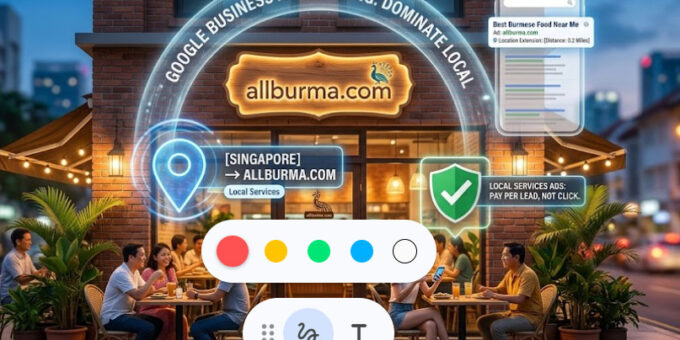
In the modern digital economy, the phrase “Google it” has replaced the phone book, the classifieds, and even word-of-mouth for many consumers. For a local business, appearing at the top of Google search results isn’t just an advantage—it is a necessity for survival. Google Business Advertising offers a powerful ecosystem to connect your physical storefront or local service with high-intent customers exactly when they are looking for you.
This 2500-word guide breaks down the mechanics of Google Business Advertising, from the free foundational tools to sophisticated paid search strategies.
I. The Foundation: Google Business Profile (GBP)
Before you spend a cent on advertising, you must master your Google Business Profile. This is the free listing that appears in Google Maps and the “Local Pack” of search results. While technically “organic,” it is the cornerstone of all Google advertising.
1. Optimization for Maximum Visibility
A half-finished profile is a missed opportunity. To outrank competitors, ensure the following:
-
Business Category: Choose the most specific primary category possible. If you are a “Burmese Vegan Restaurant,” don’t just select “Restaurant.”
-
Service Area: If you don’t have a physical shop and visit customers (like a plumber), define your service area accurately to avoid being shown to people you can’t serve.
-
The Power of Attributes: Mark your business with relevant tags like “Identifies as women-led,” “Wheelchair accessible,” or “Free Wi-Fi.” These small details can be the deciding factor for a customer.
2. The Psychology of Reviews
Google uses reviews as a major ranking signal. A high volume of 5-star reviews signals to Google’s algorithm that your business is trustworthy.
-
The Response Strategy: Respond to every review. Acknowledge praise and address complaints with a solution-oriented tone. This shows potential customers that you are active and care about service quality.
II. Transitioning to Paid: Google Local Services Ads (LSAs)
For service-based businesses (lawyers, locksmiths, cleaners, etc.), Local Services Ads are often more effective than traditional text ads.
1. The “Google Guaranteed” Badge
The most significant feature of LSAs is the green checkmark known as the Google Guaranteed badge. To get this, Google performs a background check on your business and license. This badge instantly builds 100% more trust with a skeptical user.
2. Pay-Per-Lead vs. Pay-Per-Click
Unlike traditional Google Ads where you pay when someone clicks your link, LSAs operate on a Pay-Per-Lead model. You only pay when a customer calls you or sends a message through the ad. This makes it incredibly easy to track your Return on Investment (ROI).
III. Google Search Ads: Capturing High Intent
Search Ads are the traditional text advertisements that appear at the very top of the search engine results page (SERP).
1. Keyword Research: Thinking Like a Customer
The secret to successful advertising is bidding on the right keywords.
-
Broad Match: Reaches the most people but can be wasteful.
-
Exact Match: Only shows your ad when the user types the exact phrase.
-
Negative Keywords: This is the most underrated tool. If you sell “Luxury Watches,” you should add “cheap” or “repair” as negative keywords so you don’t pay for clicks from people who aren’t your target audience.
2. Crafting High-Conversion Copy
You have limited space to convince a user to click.
-
Headline 1: Must include the primary keyword.
-
Headline 2: Should offer a unique value proposition (e.g., “50% Off First Visit”).
-
Call to Action (CTA): Be direct. Use “Book Now,” “Get a Quote,” or “Call Today.”
IV. Location Extensions: Bridging Digital and Physical
One of the best ways to enhance a Google Ad for a local business is by using Location Extensions. This adds your physical address, a map marker, and the distance to your business directly into the ad.
When a user sees that your business is only 0.5 miles away, the likelihood of a visit increases exponentially. It also allows for a “Click-to-Call” button, which is essential for mobile users who are on the go.
V. Google Display Network: Building Local Awareness
While Search Ads capture people already looking for you, the Display Network puts your brand in front of people while they are browsing news sites, watching YouTube, or using apps.
1. Geofencing
You can set your Display Ads to only show to people within a specific zip code or a 3-mile radius of your shop. This is perfect for brand awareness—ensuring that everyone in your neighborhood knows your name before they even need your service.
2. Remarketing
Have you ever visited a website and then seen their ads everywhere? That is remarketing. You can show ads specifically to people who have visited your website but didn’t make a purchase, gently nudging them back to your business.
VI. Performance Max for Local Goals
Google’s newest campaign type, Performance Max, uses AI to automatically show your ads across Search, Maps, YouTube, and Display to find the best customers. For local businesses, you can set “Store Visits” as your primary goal, and Google’s AI will optimize your budget to drive physical foot traffic.
VII. Analyzing Your Success
Google provides a wealth of data, but focus on these three:
-
Click-Through Rate (CTR): Are your ads interesting enough to click?
-
Cost Per Lead (CPL): How much does it cost you to get a new customer’s phone number?
-
Conversion Rate: Of the people who clicked, how many actually bought something?
Conclusion: The Holistic Approach
Google Business Advertising is not a “set it and forget it” system. It requires constant tweaking. Start by perfecting your free Google Business Profile, then layer on Search Ads for high-intent traffic, and finally use Display Ads to stay top-of-mind in your community.
By dominating the Google ecosystem, you ensure that no matter how a local customer searches for help, they find your business first.
